

签到
略,扫二维码关注公众号
不止二维码
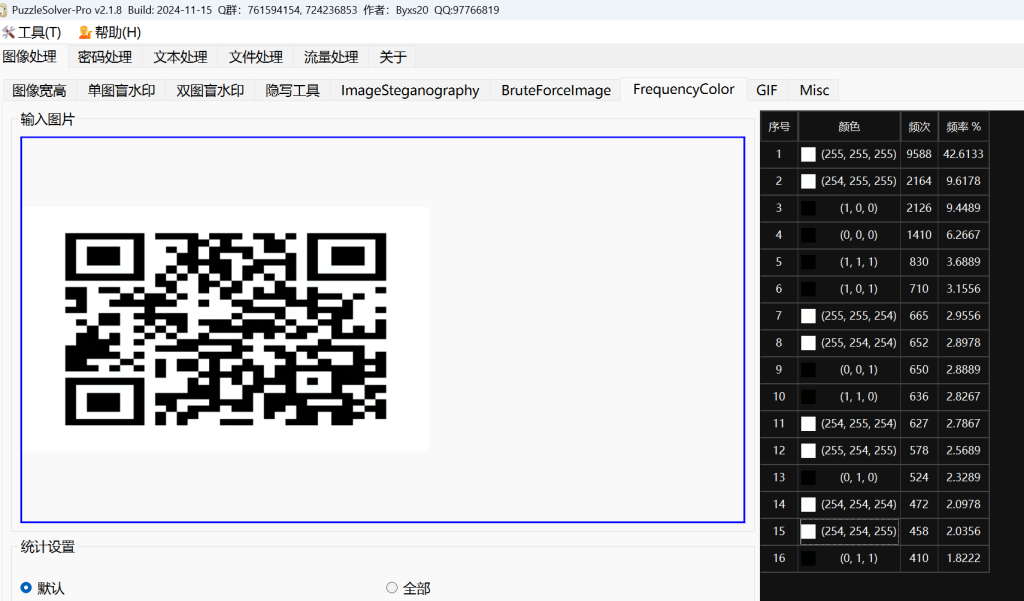
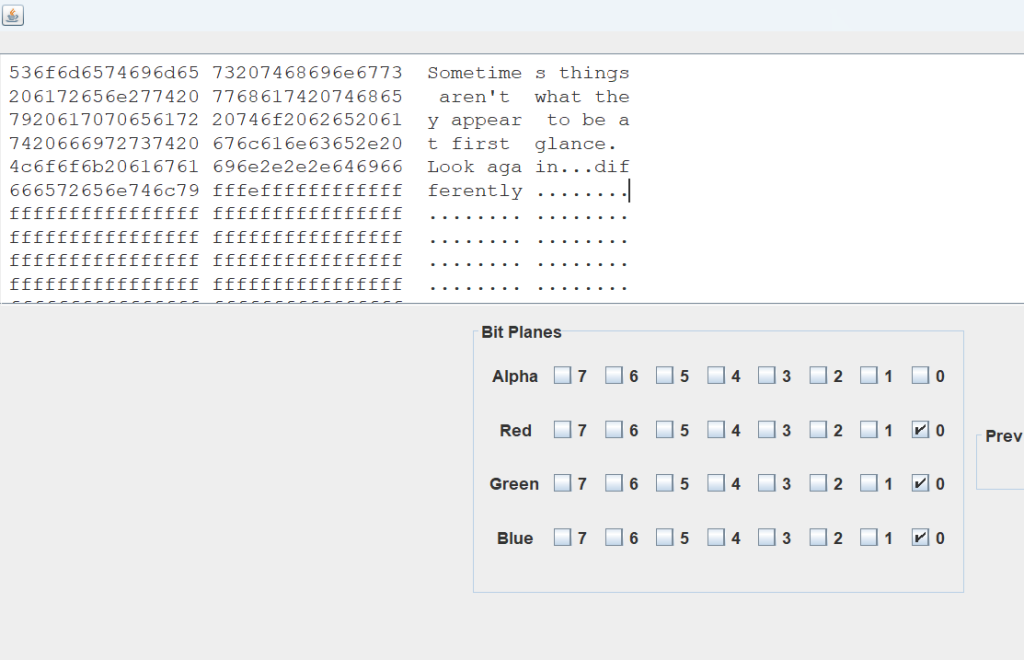
拿到一张二维码,扫进去后没啥内容(但是通过pz发现是LSB隐写)
拿到stegsolve里,发现0通道的二维码有变化,故而单独将RGB0通道三个图片拿出来
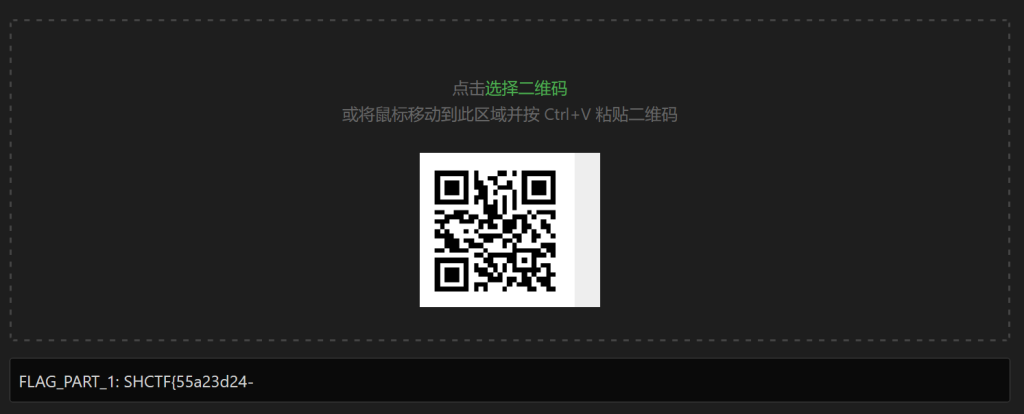
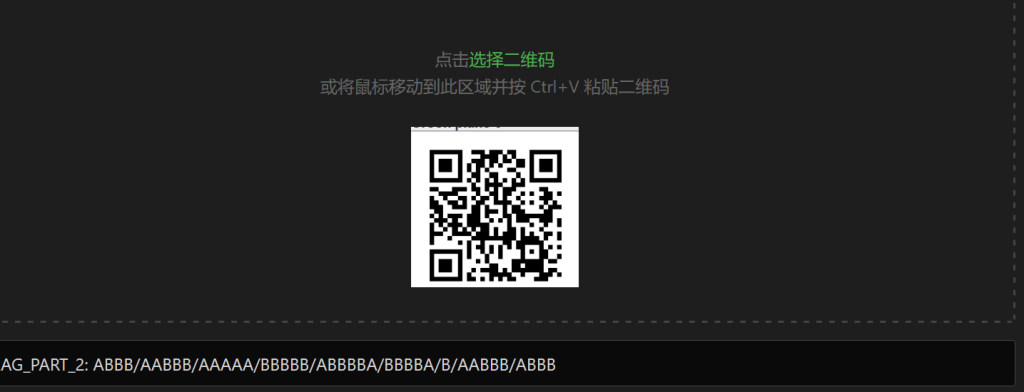
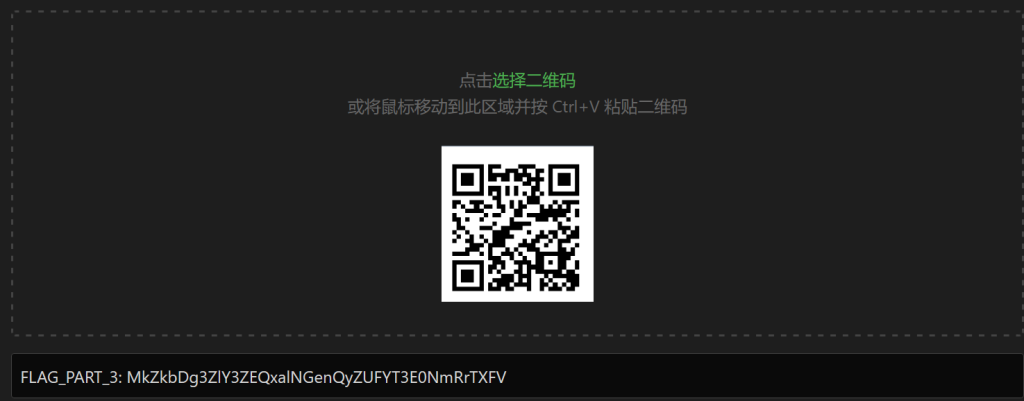
调整不同通道得到不同的二维码,解出三个flag部分
FLAG_PART_1: SHCTF{55a23d24-
FLAG_PART_2: ABBB/AABBB/AAAAA/BBBBB/ABBBBA/BBBBA/B/AABBB/ABBB
FLAG_PART_3: MkZkbDg3ZlY3ZEQxalNGenQyZUFYT3E0NmRrTXFV
part2是莫斯密码
B705-4E7Bpart3是Base系列
故而得到
SHCTF{55a23d24-B705-4E7B-942e-bdd}Evan
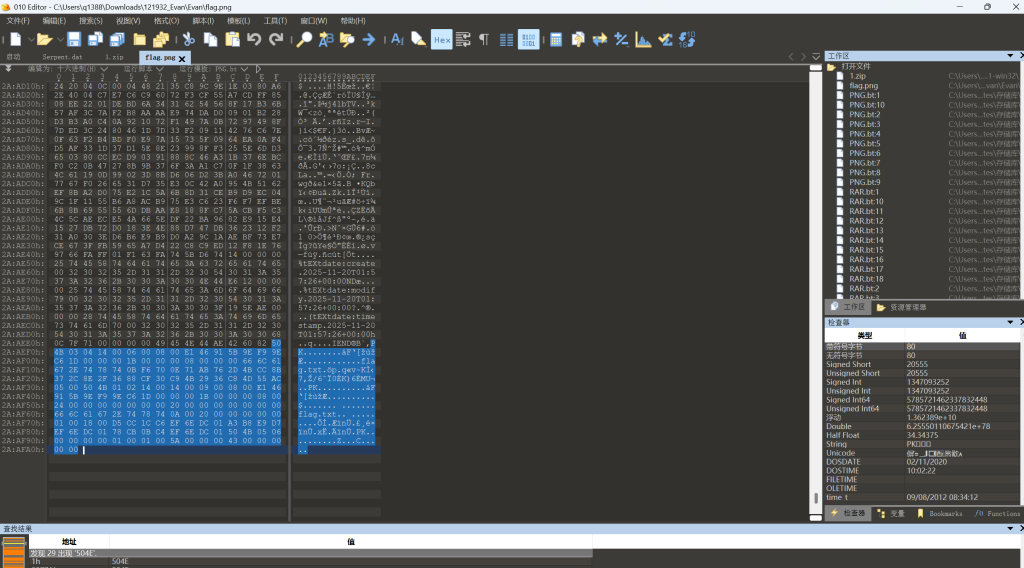
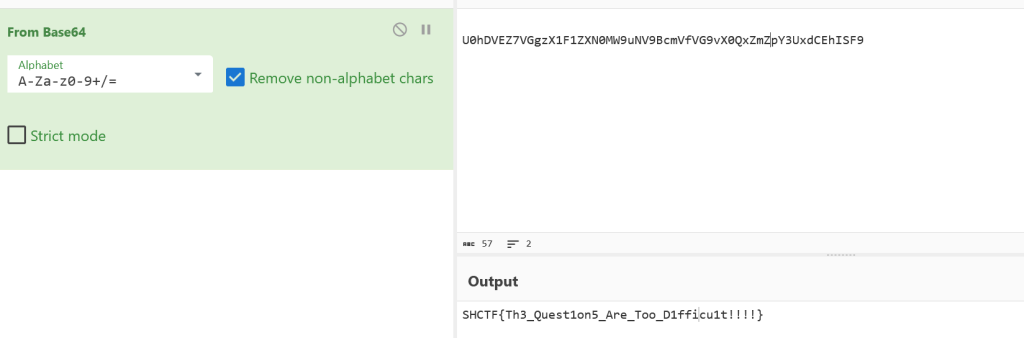
给的图片后面有个zip文件。提取出来,伪加密。解开后就是flag
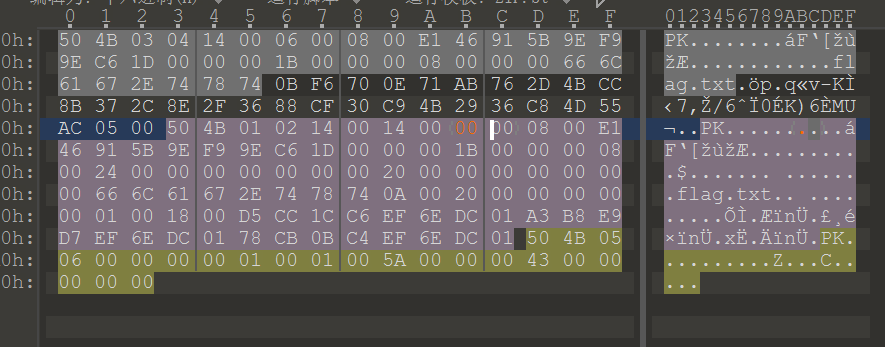
打开flag.txt得到:
SHCTF{Evan_1s_s0_h4nds0me!}提问前请先搜索
很多人认为 CTF 只是关于“攻击”的艺术,但其实它更是关于“学习”的艺术
这里没有复杂的代码,也没有高深的算法,只有一篇你需要反复研读的文章
如果你无法通过搜索解决报错,你就无法通过提问获得帮助
请静下心来仔细阅读,你会有收获的
tips: 可能会分不清大写O和数字0
文章里面藏了flag,直接复制粘贴下来
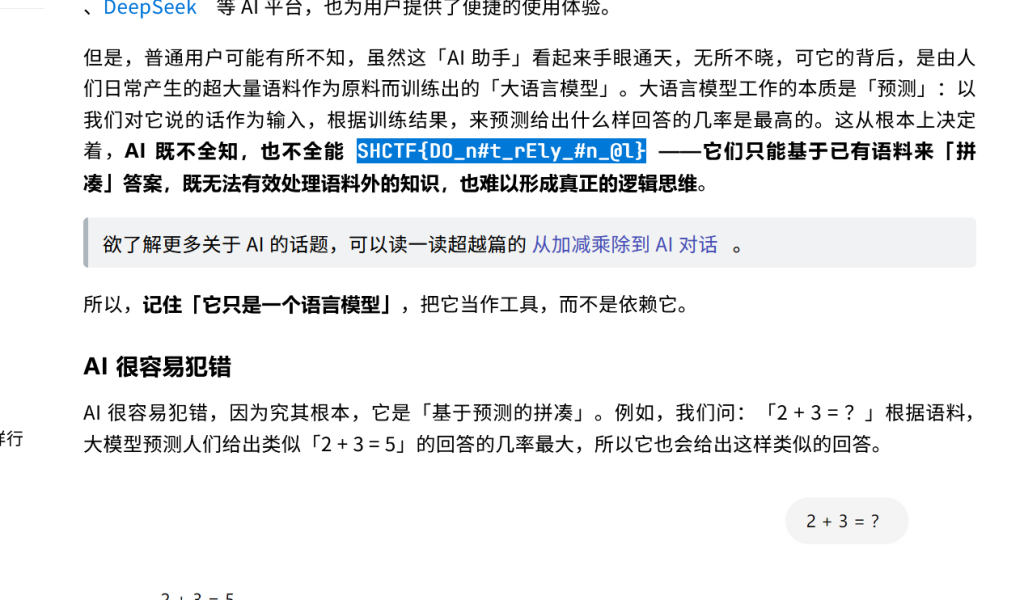
Office
Office我只推荐MS,WPS是什么,我不知道
首先doc文件里面
IRy1m2qYkmewkTqDrneCoTCQoUiFqm7zqoeRoT7DqDCAqm7QsTqRuT3PqjWUt5e7给了个doc文件,改后缀名位zip,找到里面有个异常文件
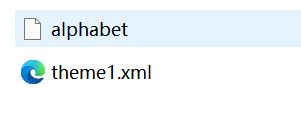
复制alphabet里面的内容
+/0-6a-zA-Z7-9=这个是Base编码的码表,拿去cyberchef
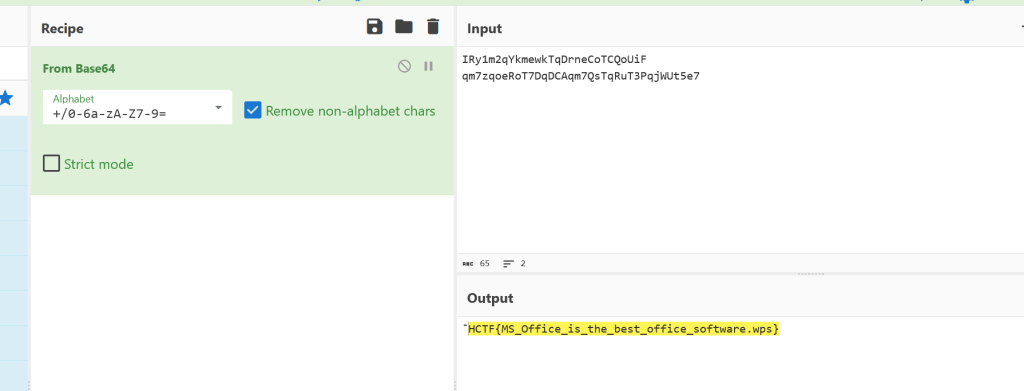
得到flag
资源平权!
苕皮哥在网上下载资源时遇到了无良资源站,从某克网盘下了一个小时,结果发现压缩包的解压密码竟然还要支付 1 个比特币???
给了个zip,里面有exe文件,利用经典的exe进行明文爆破,
C:\Users\q1388\Desktop\工具\bkcrack-1.8.1-win32>bkcrack -C 2.zip -c flag.exe -p exe -o 64
bkcrack 1.8.1 - 2025-10-25
[17:53:01] Z reduction using 56 bytes of known plaintext
100.0 % (56 / 56)
[17:53:01] Attack on 140645 Z values at index 71
Keys: 60101051 4cba82cb 48eac20c
33.5 % (47060 / 140645)
Found a solution. Stopping.
You may resume the attack with the option: --continue-attack 47060
[17:53:17] Keys
60101051 4cba82cb 48eac20c

bkcrack -C 2.zip -c flag.exe -k 60101051 4cba82cb 48eac20c  -U 22.zip 123
bkcrack 1.8.1 - 2025-10-25
[17:56:59] Writing unlocked archive 22.zip with password "123"
100.0 % (1 / 1)
Wrote unlocked archive.
打开exe得到flag

薇薇安的美照
给了个jpg文件,末尾有flag字样
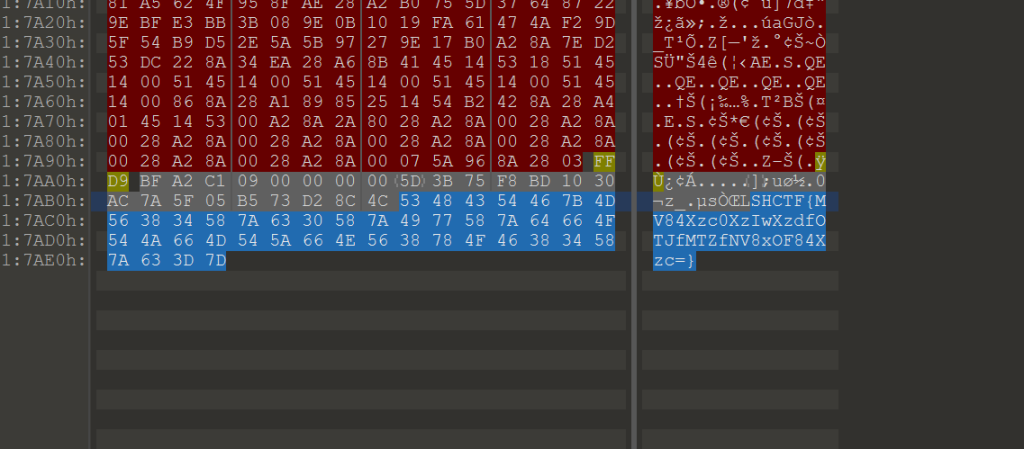
Base64解码后是
1_8_74_20_7_92_16_5_18_8_7这里试了很多次,都不对,想到还有解密,最后才试到化学元素这上边,将数字转化为化学元素:
SHCTF{H_O_W_CA_N_U_S_B_AR_O_N}滴答滴答
给了个Wav
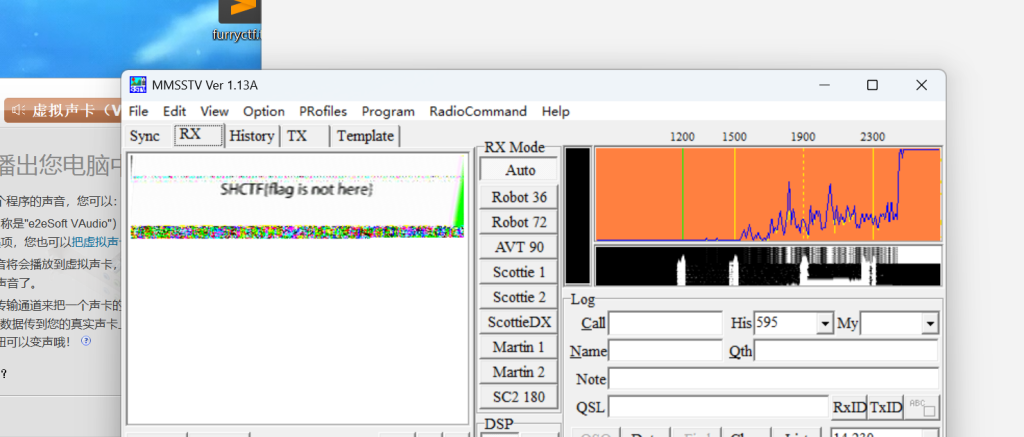
先拿到一个flag,但是这个flag是错的
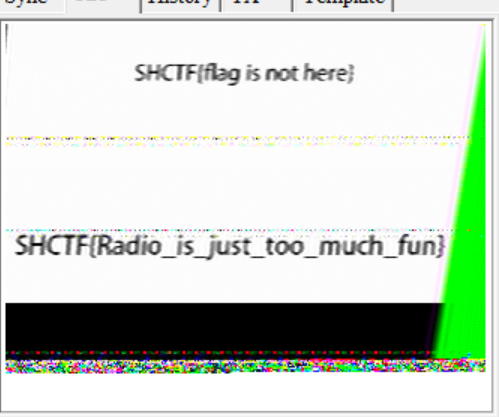
继续往下听,拿到flag
SHCTF{Radio_is_just_too_much_fun}Open my puff
给了一个png和一个txt
txt文件里面内存有点大,但是能看见的就只有几个字符
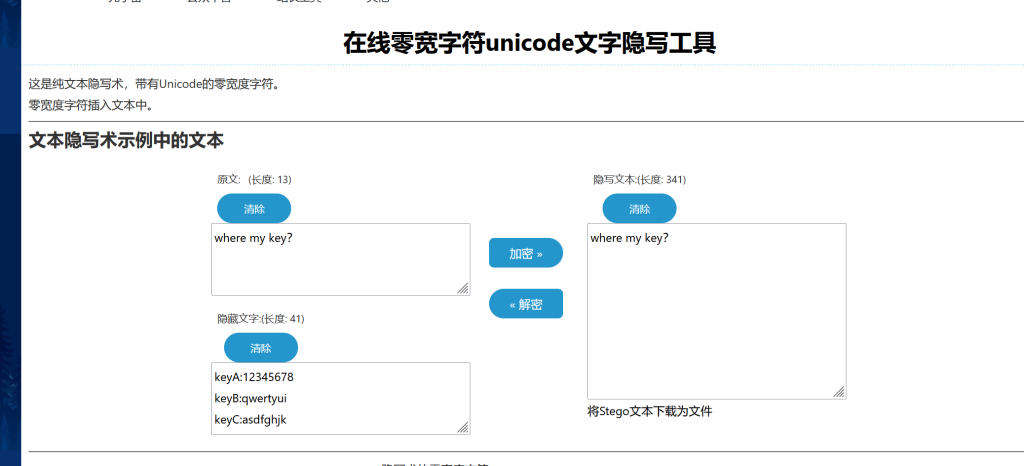
keyA:12345678 keyB:qwertyui keyC:asdfghjk
看到另外一个png文件末尾结合题目名字,直到用openpuff
用openpuff找到隐写
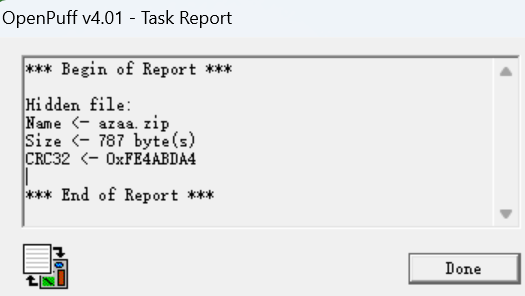
解出来一个zip文件,里面有没有加密的flag.txt
niimmccw????zfip还有一个加密的flag.zip,里面也有个flag.txt。这里8个连续字节+4刚好满足明文攻击条件
而且里面的zip加密算法和压缩方法符合条件
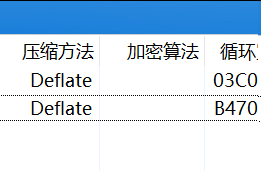
里面的flag.txt:
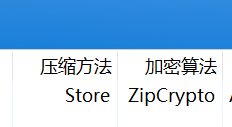
尝试用外层flag.txt的内容进行明文攻击
6e69696d6d636377(偏移0)<------------niimmccw
          {偏移12<--------------????}
7a666970<----------------------------zfip
bkcrack -C 1234.zip -c flag.txt -x 0 6e69696d6d636377 -x 12 7a666970
bkcrack -C 1234.zip -c flag.txt -k 4543d810 f89b3d67 531a63b0 -U 111.zip 123打开txt
niimmccwcnsizfip

All these eyes from the side under blue lights

Making you confused, I'm selfish, I know

That now's not the time, I'm sure they wouldn't mind

If you'd wanna leave and follow me home

this is flag   :   SHCTF{N3ur4l_Gl1tch_1n_Th3_5yst3m}
得到flag
奇怪的数据
给了一个txt,里面都是(xx,xx,xx)类型,(0,0,0)和(255,255,255),感觉像是像素
from PIL import Image
import math

# ==== 1. 修改这里:输入文件名 ====
input_file = "flag.txt"  # 你的数据文件名
# =============================

# 读取数据
pixels = []
with open(input_file, "r", encoding="utf-8") as f:
    for line_num, line in enumerate(f, 1):
        if line.strip():
            # 移除末尾分号,分割像素
            parts = line.strip().rstrip(';').split(';')
            for part in parts:
                if part.startswith('('):
                    try:
                        r, g, b = map(int, part[1:-1].split(','))
                        pixels.append((r, g, b))
                    except:
                        pass

# 自动计算尺寸
total = len(pixels)
h = int(math.sqrt(total))
while total % h != 0 and h > 1:
    h -= 1
w = total // h

# 生成图片
img = Image.new("RGB", (w, h))
img.putdata(pixels[:w*h])
img.save("output.png")

print(f"完成")
print(f"输入文件: {input_file}")
print(f"像素数量: {total}")
print(f"图片尺寸: {w}×{h}")
print(f"输出文件: output.png")
得到了一个二维码

再经过Base64解出flag
Base64Encryption
附件解压后是这几样东西:
Readme.txt(明文)Readme.txt.enc(加密后)png.png.encflag.zip.enc
题目一句话:把 Base64 的字符表打乱了,别人解不开就算“加密”。
先确认:.enc 到底是什么
打开 Readme.txt,里面除了题面,还多了一行 64 字符的串(暂时不管它):
看我把Base64的字符表全都打乱了!只要别人解不开,那就是加密?
b4CYzZ3RWg7pBuTyVmGrxaHhjtQMUqEno5XJscD/1d892vO+Pfk6NewlFLSKiI0A
再看 Readme.txt.enc,明显是一串「看起来像 base64」的字符,而且长度刚好是 196,正好对应 147 字节明文的 base64 长度:
- base64 输出长度 =
4 * ceil(n/3) - 147 字节 →
4 * 49 = 196
所以基本可以确定:.enc 就是 自定义字符表的 Base64。
Readme.txt和Readme.txt.enc 是一对现成的「明文 → 加密后」:
- 先用标准 base64 对
Readme.txt编码,得到std_b64 - 再把
Readme.txt.enc当作custom_b64 - 逐位对齐:
std_b64[i] -> custom_b64[i],就能得到大部分字符映射
# quick_chinese.py
import sys
def quick_discover():
    """快速发现中文文件的Base64编码表"""

    with open('readme.txt', 'rb') as f1, open('readme.txt.enc', 'r', encoding='utf-8') as f2:
        plain = f1.read()  # 二进制读取
        encoded = f2.read().replace('\n', '').replace(' ', '').rstrip('=')

    print(f"明文: {len(plain)} 字节")
    print(f"编码: {len(encoded)} 字符")

    # 转换为二进制
    binary = ''.join(f'{b:08b}' for b in plain)

    # 初始化表
    table = ['?'] * 64

    # 快速处理
    for i, char in enumerate(encoded):
        if i * 6 >= len(binary):
            break
        start = i * 6
        chunk = binary[start:start+6].ljust(6, '0')
        idx = int(chunk, 2)
        if idx < 64:
            table[idx] = char
    result = ''.join(table)
    # 显示结果
    print(f"\n发现的表: {result}")
    print(f"发现: {64 - result.count('?')}/64")
    # 保存
    with open('table_result.txt', 'w', encoding='utf-8') as f:
        f.write(result)
    print("已保存到 table_result.txt")
    return result
if __name__ == "__main__":
    quick_discover()
这一轮能拿到 59 个字符的映射,还差 5 个没出现过
?yr8RIkJwCtaTNdBYifW7Zo6UbmqPG9?pSc/?0hxg52jALDl?enV1+EM4Hv?3Fsu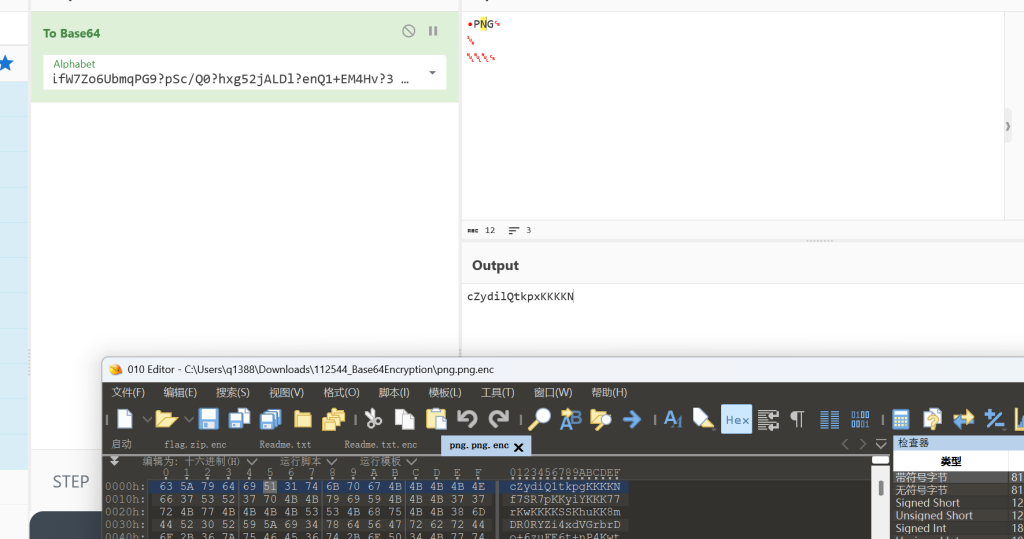
cyberchef里试出其中两位
k1="Kyr8RIkJwCtaTNdBYifW7Zo6UbmqPG9OpSc/X0hxg52jALDlQenV1+EM4Hvz3Fsu“
k2="Kyr8RIkJwCtaTNdBYifW7Zo6UbmqPG9OpSc/z0hxg52jALDlQenV1+EM4HvX3Fsu“
k3="Kyr8RIkJwCtaTNdBYifW7Zo6UbmqPG9XpSc/O0hxg52jALDlQenV1+EM4Hvz3Fsu“
k4="Kyr8RIkJwCtaTNdBYifW7Zo6UbmqPG9XpSc/z0hxg52jALDlQenV1+EM4HvO3Fsu“
k5="Kyr8RIkJwCtaTNdBYifW7Zo6UbmqPG9zpSc/X0hxg52jALDlQenV1+EM4HvO3Fsu“
k6="Kyr8RIkJwCtaTNdBYifW7Zo6UbmqPG9zpSc/O0hxg52jALDlQenV1+EM4HvX3Fsu“
最终试出来:
Kyr8RIkJwCtaTNdBYifW7Zo6UbmqPG9zpSc/O0hxg52jALDlQenV1+EM4HvX3Fsu得到了一个
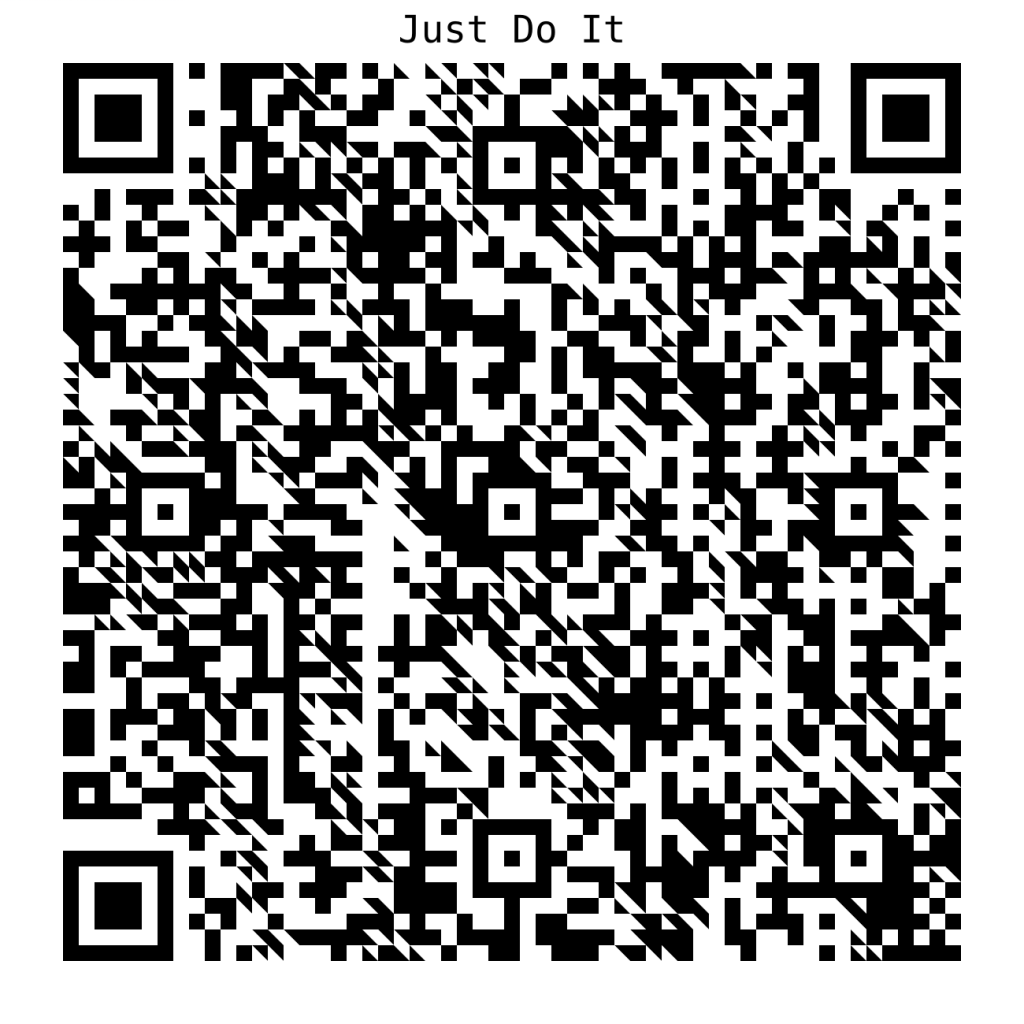
import numpy as np
import cv2
def reconstruct_qr_advanced(gray: np.ndarray, N: int, m: int, ox: int = 0, oy: int = 0, margin_ratio: float = 0.35):
    """
    重建干净的二维码 - 核心算法
    原理:采样每个模块时忽略边缘(斜线干扰区),只用中心区域投票

    Args:
        gray: 灰度图像
        N: QR码模块数(如版本10=57)
        m: 每个模块的像素大小
        ox, oy: 偏移量用于对齐网格
        margin_ratio: 边缘忽略比例(关键!0.35表示忽略35%边缘)
    """
    size = N * m
    sub = gray[oy:oy + size, ox:ox + size]

    margin = int(m * margin_ratio)
    mat = np.zeros((N, N), dtype=np.uint8)

    for r in range(N):
        for c in range(N):
            block = sub[r*m:(r+1)*m, c*m:(c+1)*m]
            # 关键:只取中心区域,忽略边缘的斜线干扰
            core = block[margin:-margin, margin:-margin] if margin > 0 else block
            if core.size == 0:
                core = block
            # 中值投票决定黑白
            mat[r, c] = 0 if np.median(core) < 128 else 255
    # 放大并添加静区便于扫描
    scale = 8
    img_bin = np.kron(mat, np.ones((scale, scale), dtype=np.uint8))
    q = 4 * scale
    out = 255 * np.ones((img_bin.shape[0] + 2*q, img_bin.shape[1] + 2*q), dtype=np.uint8)
    out[q:-q, q:-q] = img_bin
    return out
def auto_repair_qr(image_path: str):
    """自动搜索最佳参数修复二维码"""
    img = cv2.imread(image_path, cv2.IMREAD_COLOR)
    gray = cv2.cvtColor(img, cv2.COLOR_BGR2GRAY)
    h, w = gray.shape

    # 裁剪到二维码区域
    det = cv2.QRCodeDetector()
    ok, pts = det.detect(img)
    if ok:
        pts = pts[0].astype(int)
        x0, y0 = pts[:,0].min()-10, pts[:,1].min()-10
        x1, y1 = pts[:,0].max()+10, pts[:,1].max()+10
        gray = gray[y0:y1, x0:x1]
        h, w = gray.shape

    # 暴力搜索版本、偏移、margin
    for version in range(1, 41):
        N = 21 + 4*(version-1)  # 模块数公式
        m = round(h / N)
        if not (4 <= m <= 60):
            continue

        size = N * m
        if size > h or size > w:
            continue

        for oy in range(min(5, m//3)):
            for ox in range(min(5, m//3)):
                for margin_ratio in [0.15, 0.25, 0.35]:
                    rebuilt = reconstruct_qr_advanced(gray, N, m, ox, oy, margin_ratio)
                    data, _, _ = cv2.QRCodeDetector().detectAndDecode(rebuilt)
                    if data:
                        return rebuilt, data
    return None, None
# 使用示例
result, content = auto_repair_qr("png.png")
cv2.imwrite("repaired.png", result)
print(f"修复成功: {content}")  # password: base64_15_n0t_3ncrypt10n
解出来:
- 斜线干扰是抗锯齿产生的中间灰度像素,位于模块边缘
- 解决方案:每个模块只采样中心65%区域(
margin_ratio=0.35),完全避开边缘干扰 - 成功参数:版本10(57×57模块),模块大小~20px,偏移(4,1),忽略35%边缘
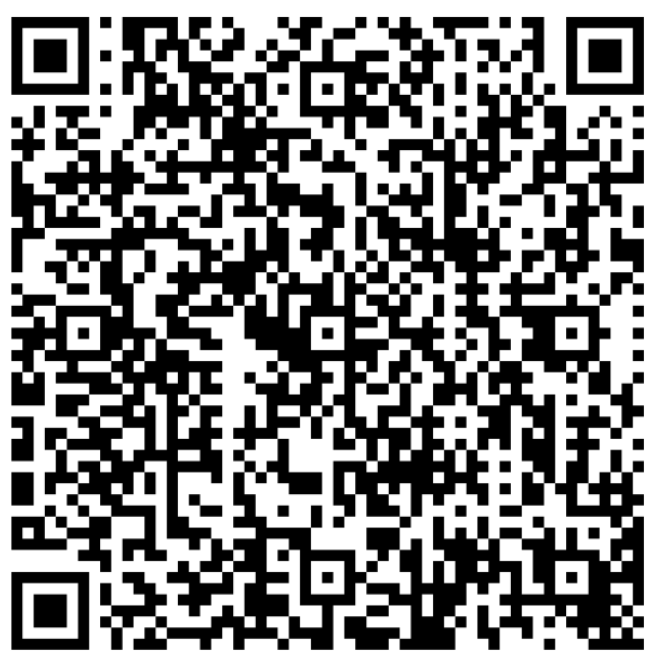
通过二维码得到:
password: base64_15_n0t_3ncrypt10n解压zip,里面的txt再次解密
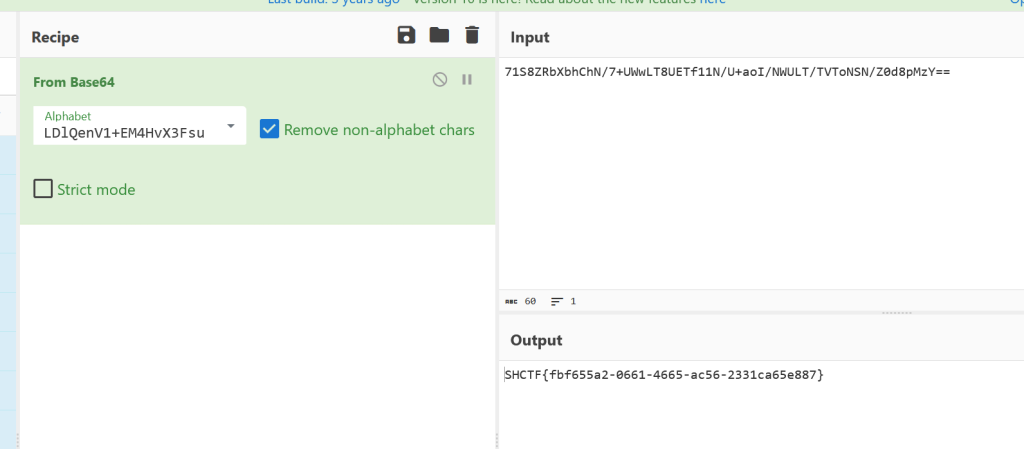
SHCTF{fbf655a2-0661-4665-ac56-2331ca65e887} 获取 SHSolver 之路
题面一句话提示“提升QQ等级”,而靶机返回的是一张非常高的 JPG。把图像缩小或旋转后能看到规律性的“QQ等级图标”阵列(皇冠/太阳/月亮/星星)。进一步观察发现:
- 整张图是一个固定 9 列、933 行的网格。
- 每一行的图标都靠左连续排列,右侧为空白,没有夹杂空格。
- 每种图标在单行里最多出现 3 个,且“皇冠”最多 1 个。
这和 QQ 等级展示规则完全一致:
- 1 皇冠 = 4 太阳 = 16 月亮 = 64 星星。
- 由此想到了每一行可以看作是“以 4 进制计数”的 7-bit ASCII 值。
思路:
- 定位编码规则
- 题面关键词“QQ等级”直接指向 QQ 等级图标系统。
- 图标数量上限(3、3、3、1)与 QQ 等级的进位规则吻合。
- 图像切分
- 二值化后按行扫描,找到所有“连续有像素”的行段,得到 933 个行块。
- 按列扫描,得到 9 个列块。
- 图标分类
- 对每个格子裁剪并缩放为 16x16 二值图。
- 用汉明距离聚类,稳定得到 4 个类型(对应 4 种图标)。
- 确定图标顺序
- 遍历 4 种图标的排列,找到能让所有行都保持“从高到低有序”的唯一顺序。
- 最终顺序为:皇冠 -> 太阳 -> 月亮 -> 星星。
- 解码与还原
- 每行计数:
皇冠*64 + 太阳*16 + 月亮*4 + 星星*1得到 ASCII。 - 文本中有一行提示“remove all spaces”,下一行是带空格的 Base64。
- 去空格后 Base64 解码得到反向字符串,再整体反转即可得到 flag。
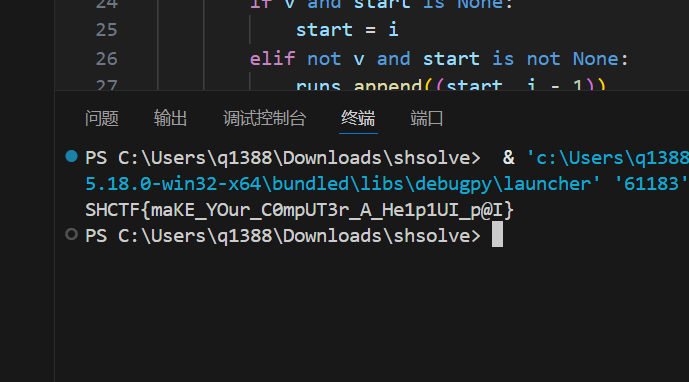
代码核心逻辑:
1. 二值化图像 (阈值50)
     arr = (img > 50).astype(uint8)
                 │
                 ▼
2. 投影分割找网格
     行投影: arr.sum(axis=1) > 0
     列投影: arr.sum(axis=0) > 0
                                             → 得到 row_runs, col_runs
                 │
                 ▼
3. 聚类识别4种符号
     每个单元格 → 缩放到16×16 → 展平256维
     汉明距离<30归为同类
                                             → 得到4类: A,B,C,D
                 │
                 ▼
4. 拓扑排序确定权重顺序
     枚举4!种排列,验证每行符号顺序约束
                                             → 确定 [?, ?, ?, ?] 对应 [64,16,4,1]
                 │
                 ▼
5. 每行解码为1字节
     val = count(A)*64 + count(B)*16
           + count(C)*4 + count(D)*1
                                             → bytes(values) → 文本
                 │
                 ▼
6. 提取Base64并反转
     找"gift"行的下一行 → 去空格 → b64decode
                                              → 结果字符串反转 = flag
import base64
import itertools
from pathlib import Path

import numpy as np
import requests
from PIL import Image

# Leave BASE_URL empty to avoid leaking target info.
# You can fill it manually (domain:port, no scheme) or place the image as work/challenge.jpg.
BASE_URL = ""

OUT_DIR = Path(__file__).resolve().parent
IMG_PATH = OUT_DIR / "challenge.jpg"
THRESH = 50
CLUSTER_DIST = 30
GRID_SIZE = (16, 16)


def _get_runs(mask):
    runs = []
    start = None
    for i, v in enumerate(mask):
        if v and start is None:
            start = i
        elif not v and start is not None:
            runs.append((start, i - 1))
            start = None
    if start is not None:
        runs.append((start, len(mask) - 1))
    return runs


def _load_image():
    if BASE_URL:
        url = BASE_URL.strip()
        if not url.startswith(("http://", "https://")):
            url = "http://" + url
        r = requests.get(url, timeout=20)
        r.raise_for_status()
        IMG_PATH.write_bytes(r.content)
    if not IMG_PATH.exists():
        raise SystemExit("No image found. Fill BASE_URL or put challenge.jpg in work/")
    return Image.open(IMG_PATH).convert("L")


def _cluster_cells(arr, row_runs, col_runs):
    reps = []
    items = []
    for li, (rs, re) in enumerate(row_runs):
        for ci, (cs, ce) in enumerate(col_runs):
            cell = arr[rs : re + 1, cs : ce + 1]
            if cell.sum() < 10:
                continue
            im = Image.fromarray((cell * 255).astype(np.uint8)).resize(GRID_SIZE, Image.NEAREST)
            data = (np.array(im) > 0).astype(np.uint8).flatten()
            if not reps:
                reps.append(data)
                items.append([(li, ci)])
                continue
            dists = [np.count_nonzero(data != r) for r in reps]
            m = min(dists)
            if m <= CLUSTER_DIST:
                idx = dists.index(m)
                items[idx].append((li, ci))
            else:
                reps.append(data)
                items.append([(li, ci)])
    return reps, items

def _infer_order(row_strings, labels):
    for perm in itertools.permutations(labels):
        rank = {c: i for i, c in enumerate(perm)}
        ok = True
        for s in row_strings:
            if not s:
                continue
            prev = -1
            for ch in s:
                r = rank[ch]
                if prev != -1 and r < prev:
                    ok = False
                    break
                prev = r
            if not ok:
                break
        if ok:
            return perm
    return None

def main():
    img = _load_image()
    arr = (np.array(img) > THRESH).astype(np.uint8)
    row_runs = _get_runs(arr.sum(axis=1) ; 0)
    col_runs = _get_runs(arr.sum(axis=0) ; 0)

    reps, items = _cluster_cells(arr, row_runs, col_runs)
    if len(reps) != 4:
        raise SystemExit(f"Expected 4 icon types, got {len(reps)}")
    order = sorted(range(len(reps)), key=lambda i: len(items[i]), reverse=True)
    labels = ["A", "B", "C", "D"]
    pos2type = {}
    for t, ri in enumerate(order):
        for pos in items[ri]:
            pos2type[pos] = labels[t]
    row_strings = [
        "".join(pos2type.get((li, ci), ".") for ci in range(len(col_runs))).rstrip(".")
        for li in range(len(row_runs))
    ]

    # Find the left-to-right order of symbols in each row.
    sym_order = _infer_order(row_strings, labels)
    if not sym_order:
        raise SystemExit("Failed to infer symbol order")

    weights = [64, 16, 4, 1]
    weight_map = {sym_order[i]: weights[i] for i in range(4)}

    values = []
    for s in row_strings:
        val = 0
        for sym in labels:
            val += s.count(sym) * weight_map[sym]
        values.append(val)
    text = bytes(values).decode("latin1")
    lines = text.splitlines()
    b64_line = None
    for i, line in enumerate(lines):
        if "gift" in line and i + 1 < len(lines):
            b64_line = lines[i + 1]
            break
    if not b64_line:
        raise SystemExit("Failed to locate base64 line")
    b64 = b64_line.replace(" ", "")
    raw = base64.b64decode(b64)
    flag = raw.decode()[::-1]
    print(flag)


if __name__ == "__main__":
    main()
[阶段3] 珍贵的Signature
给了个doc,打不开
后缀名改为zip,发现是伪加密,打开word/_rels/doc
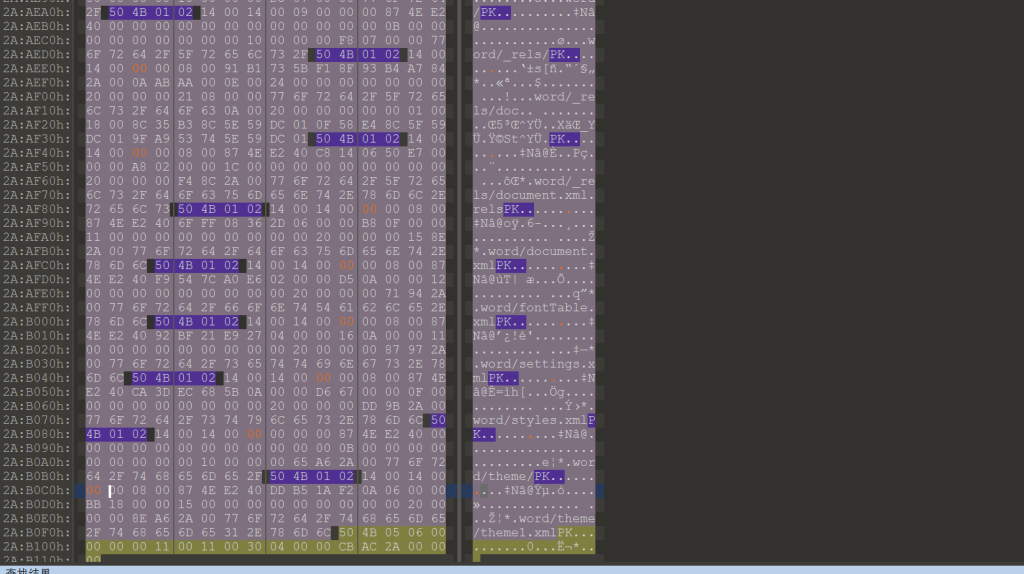
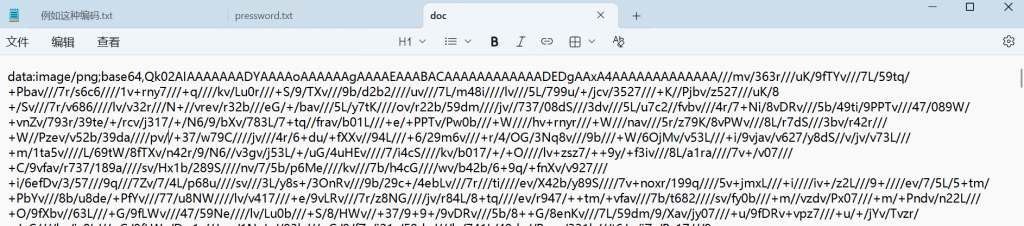
Base64解密:得到一个bmp
发现有单图盲水印
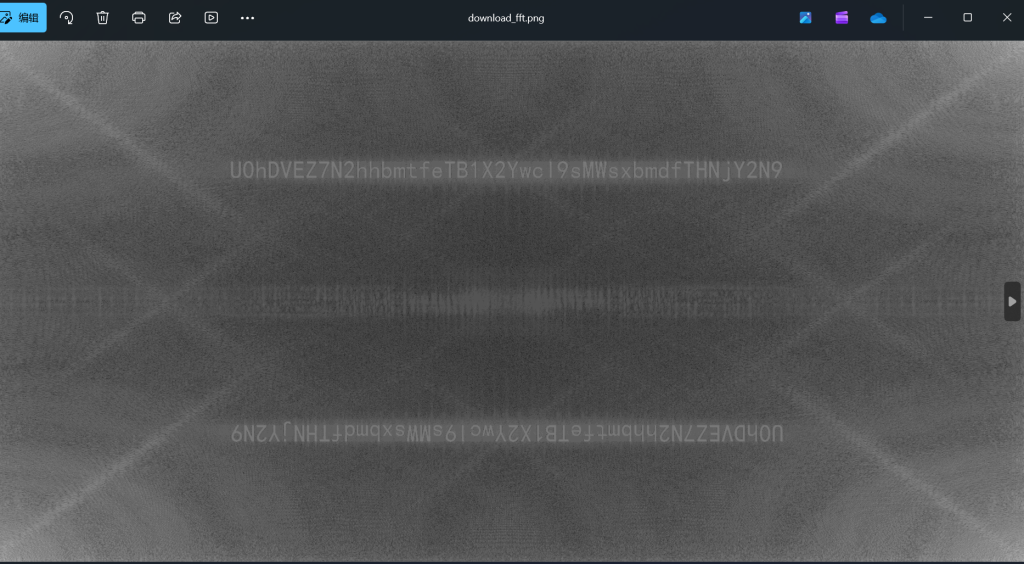
U0hDVEZ7N2hhbmtfeTB1X2Ywcl9sMWsxbmdfTHNjY2N9base64解码:
SHCTF{7hank_y0u_f0r_l1k1ng_Lsccc}
Comments NOTHING